
Pattern Keeper Guide: Stitch PDF Patterns on a Tablet
How to use PDF cross stitch patterns on paper, tablet or phone, a beginner's guide to the Pattern Keeper app, and what makes a PDF PK-compatible.
In this post
Most cross stitch patterns are sold as PDFs now, and the first time you buy one it can feel a bit abstract. Where does it go? Do you print it? What’s this Pattern Keeper app everyone mentions? This guide covers how to use PDF patterns on paper or on a screen, and how to use Pattern Keeper step by step, including what it can’t do.
The short answer: download and unzip your pattern, then either print the chart pages at 100 percent, or open the Pattern Keeper-compatible PDF in the Pattern Keeper app on an Android tablet or phone. In the app you check the imported grid and floss key once, then highlight one symbol at a time and tap stitches as you finish them.
If charts themselves are still new to you, start with my guide to reading a cross stitch pattern step by step. Everything below builds on it.
Downloading and opening your PDF
When you buy a digital pattern, you get a download link, not a parcel. With Hoop & Hearth patterns, that’s a single zip file containing several PDFs:
| File | Use it for |
|---|---|
| Color chart | Screens and color printers. Colored squares with symbols |
| Black & white chart | Printing cheaply, and marking off with a highlighter |
| Large print chart | Bigger squares, fewer stitches per page. Kinder to tired eyes |
| Pattern Keeper PDF | Importing into the Pattern Keeper app |
| Chart preview | A picture of the finished design, for reference |
To unzip: on a computer, double-click the zip. On an iPhone or iPad, tap it in the Files app. On Android, open it in your Files app and choose “Extract”. Then save the folder somewhere you’ll find it again, and keep a backup copy in your email or cloud storage.
Printing a chart (scale, color vs black and white)
Paper is still lovely, and it’s how I mark up most small patterns.
- Print at 100 percent / “Actual size”. “Fit to page” shrinks some pages more than others, so the grid won’t line up between pages.
- Black and white is usually enough. Symbol charts are designed to work without color, and they’re easier to mark with a highlighter.
- Print the floss key page and keep it next to you.
- Try the large print version for evening stitching. It uses more paper, but you’ll squint less.
- Mark off as you go with a highlighter or colored pencil, one color per session.
Printing copies for your own use is fine. Sharing the file or printouts with friends is not, because that’s how small designers lose their living. The details are in our license.
a little gift for you
Get your free cross stitch patterns
Join The Hearth Letter and download every freebie instantly, plus 15% off your first order and cozy stitching tips from Sara.
We send about two letters a month. Unsubscribe with one click.
What Pattern Keeper is (and the iPad question)
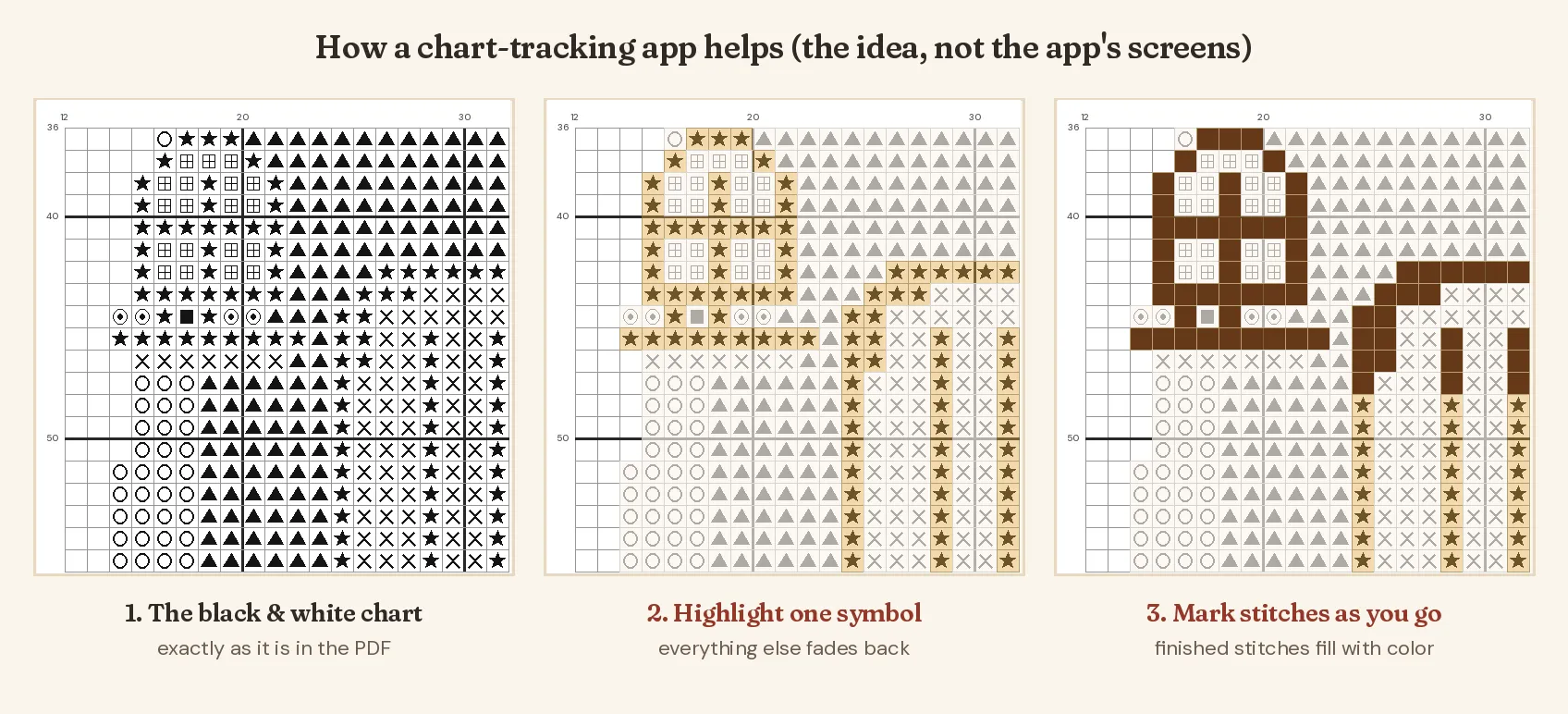
Pattern Keeper is a chart-tracking app. You import a PDF chart, and it turns the symbols into a single, zoomable digital chart that knows which symbol is which thread. Then it lets you:
- highlight one symbol, so every stitch of that color stands out and everything else fades back,
- mark stitches as done by tapping or dragging, so they fill in with color,
- mark where you’ve parked threads if you use the parking method,
- see how many stitches of each color are left.
It joins multi-page charts into one big chart, which alone saves a lot of page-flipping.
Platforms, honestly: Pattern Keeper is an Android app. It runs on Android phones and tablets, and on Chromebooks that support Android apps. At the time of writing there is no iPhone or iPad version. The developer has said one is planned, without a release date. It has a free trial, then a one-time purchase. Check the Google Play listing for the current price.
Importing a PDF into Pattern Keeper step by step
Menus change between versions, but the flow has stayed much the same:
- Get the PDF onto your device. Download it on the tablet itself, or send it from your computer by email or cloud storage. Unzip it first.
- Open Pattern Keeper and tap the round + button, then choose to open a PDF and pick the Pattern Keeper file.
- Let it scan the pages. It looks for the chart grids and the floss key.
- Check the grids. If a page’s grid has been missed or doubled, you can add, delete or adjust it before continuing.
- Answer the overlap question. Some charts repeat a few rows at page edges. The app asks whether yours does, so it can join the pages correctly.
- Verify the thread key. Each symbol should show the right brand and number (for example DMC 321). Tap any line to fix it. A color strip next to each number helps you catch typos.
- Save and open the chart. Before you start, scroll the whole chart once to check that every page came through.
That last check really matters. Stitchers in the community have shared stories of discovering a page missing halfway through a project, which is no fun at all.
Marking stitches, highlighting a color, tracking progress
My routine with any chart app looks like this:
- Highlight the color I’m about to stitch. Everything else dims.
- Stitch a small area, usually inside one 10 x 10 block.
- Mark that area as done before I move on, not at the end of the evening when I’ve forgotten what I did.
- Check the remaining count for that color. When it says zero, that thread is finished for good.
If you like working in blocks, the 10 x 10 gridlines on the chart make it easy to see where each block starts.
Tips for big charts
- Back up your progress. Charts and progress live on the device, so before you switch tablets or reset one, look in the app’s settings for a backup option, and take a screenshot of where you are just in case.
- Import one pattern at a time and check it straight away, while the PDF is fresh in your mind.
- Keep the original PDF. If anything goes wrong with an import, you can always start again from the file.
What PK doesn’t do (keep the paper key)
Pattern Keeper is brilliant at full cross stitches. It does not handle:
- Backstitch
- French knots
- Fractional stitches (quarter, half and three-quarter stitches)
So for any pattern with outlines or knots, keep the color PDF open in another app, or keep a printout, for the finishing details. Most designs add backstitch last anyway, so this is easy: do all the crosses in the app, then switch to the color chart for the outlines. My guide to backstitch and French knots covers that final stage.
What makes a PDF PK-compatible (and why ours are)
Pattern Keeper doesn’t “look” at the chart like we do. It reads the PDF’s insides. A PDF works well when:
- the symbols are real text in an embedded font, not a picture of symbols,
- the grid is drawn as clean lines, with nothing overlapping the chart (no page maps, arrows or watermarks on chart pages),
- the key is plain text listing each symbol with its brand and floss number,
- the chart uses full cross stitches, with backstitch kept separate.
A quick test: open the PDF in any PDF reader and try to select a symbol on the chart with your cursor. If you can highlight it like text, that’s a good sign. If the whole page is one image, the app has nothing to read.
Every Hoop & Hearth pattern includes a separate Pattern Keeper PDF made to that format: black and white symbols, a plain text key with DMC numbers and stitch counts, and full crosses only. The backstitch and knots are listed in the main PDF. You can see more about the files on how I make my patterns.
Other apps (Markup R-XP, Saga)
If you’re on an iPad or iPhone, or Pattern Keeper isn’t for you, there are other options. Features and prices change, so check each app’s store listing.
| App | Devices | How it works |
|---|---|---|
| Pattern Keeper | Android, Android-capable Chromebooks | Reads symbols from compatible PDFs; highlight, mark, count |
| Markup R-XP | iPad, iPhone, Android | Mark up any PDF or photo of a chart with highlights; currently a yearly subscription |
| Cross Stitch Saga | iPhone, iPad | Opens chart files from design software rather than PDFs |
| Any PDF annotation app | Every tablet | Highlighter pens on the PDF. Simple, and works with every chart |
Honestly, a basic PDF app with a highlighter and a stylus gets you most of the way on an iPad, especially for small patterns.
New to all the shorthand like PK, WIP and SAL? The cross stitch glossary has you covered. And if you’re just starting out, my complete beginner guide is the best first stop.
a little gift for you
Try a Pattern Keeper-friendly pattern for free
Join The Hearth Letter and download my free patterns, each with a Pattern Keeper PDF included.
We send about two letters a month. Unsubscribe with one click.
Frequently asked questions
Is Pattern Keeper available on iPad or iPhone?
Not at the time of writing. Pattern Keeper runs on Android phones and tablets, and on Chromebooks that run Android apps. The developer has said an iOS version is planned but has not given a date. On iPad, many stitchers use Markup R-XP or a PDF annotation app instead.
Does Pattern Keeper show backstitch?
No. Pattern Keeper handles full cross stitches only. Backstitch, French knots and fractional stitches are not supported, so keep the color PDF or a printout handy for those details.
Why won't my PDF import into Pattern Keeper?
Pattern Keeper reads the symbols as text inside the PDF. If the chart was saved as a picture (a scan or an image-only PDF), there is nothing for it to read. Look for a file labeled Pattern Keeper compatible, or ask the designer.
Can I print a PDF cross stitch pattern?
Yes. Print at 100 percent or actual size so every page lines up, and print the key page too. Personal-use copies are fine; sharing the file or prints with others is not.
Patterns to try
Stitch along with this post
Keep reading
More from the blog
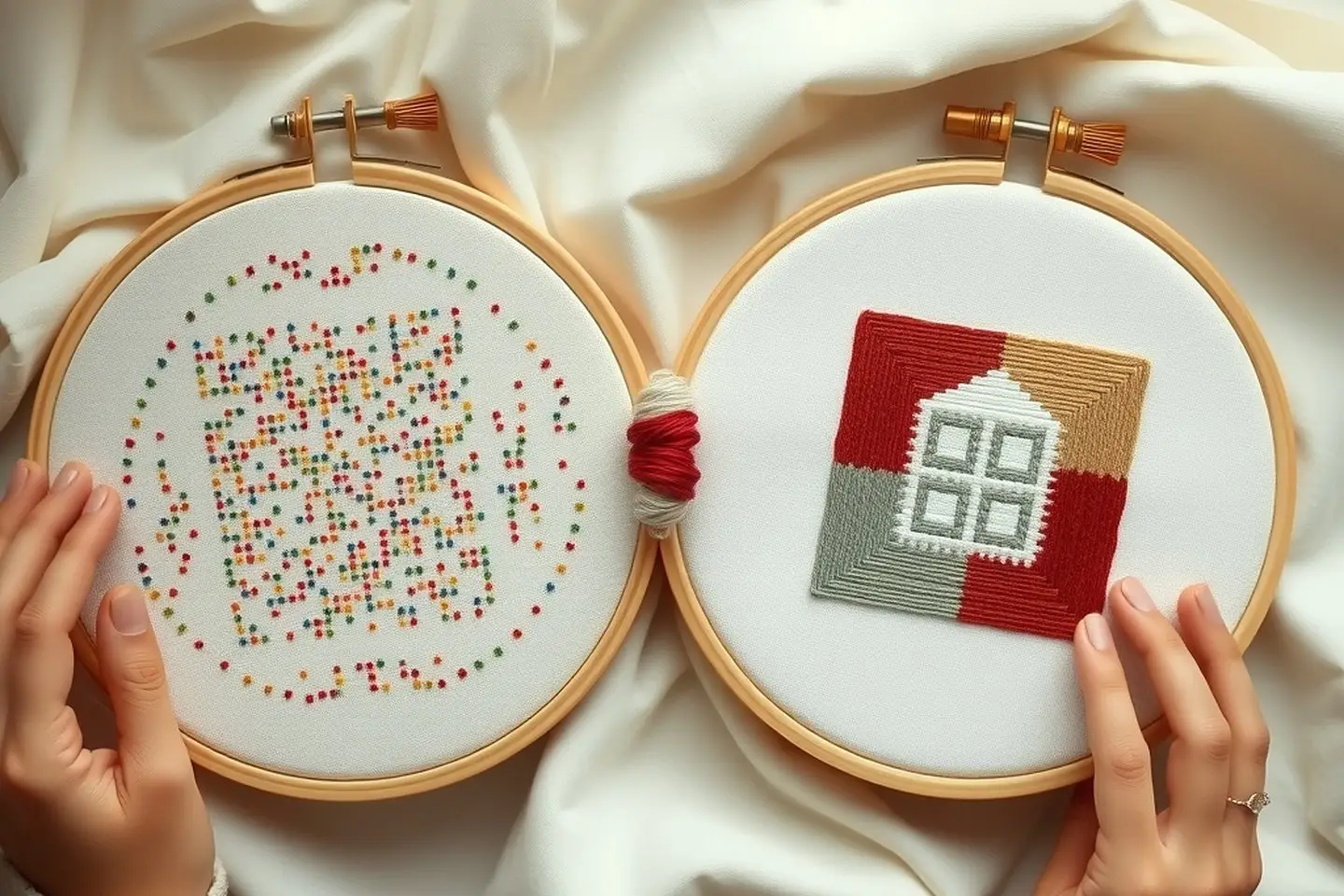
What Is Confetti in Cross Stitch? (+ How to Tame It)
Confetti stitches explained: what they are, why they slow you down, tips like parking for confetti-heavy patterns, and how to spot low-confetti charts.
How to Start Cross Stitch Without a Knot (3 Methods)
The loop method, the waste knot and the away knot explained simply, plus how to end a thread neatly so the back of your cross stitch stays flat.
Backstitch & French Knots in Cross Stitch (Easy Guide)
How to do backstitch and French knots in cross stitch, read them on a chart, and get neat outlines and knots that don't pull through.